
Three Ways Building, River Road Luthuli Junction, Nairobi [email protected]
+254 726 886 411 WhatsApp Support
Official Software Center

Download QuickSale Applications & Guides

Download official POS-related applications, utilities, integrations, printer configuration tools and user documentation.

QuickSale Integrate Icon
Official Android Companion

POS Payment Integration for Android

Connect your Android mobile device or Smart POS terminal directly with the QuickSale POS system for instant M-Pesa push, transaction verification, and sales synchronization.

Application
QuickSale Integrate
Current Version
v1.2.0
File Size
14.5 MB
Release Date
August 2026
OS Compatibility
Android 7.0+
Scan to Download directly on Phone
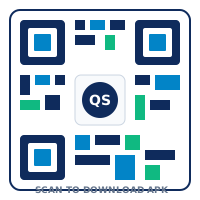
Scan QR Code to Download APK

Point your Android phone camera at the QR code to begin automatic download.

Download Safety Notice

Only download the POS Payment Integration App from this official website (www.quicksale.co.ke). Avoid APK files distributed through unverified third-party app repositories or unverified chat links.

Setup Guide

Step-by-Step Android APK Installation Guide

Follow these 8 simple steps to connect your Android phone or terminal to QuickSale POS.

  1. Download the APK File: Tap the Download APK button above or scan the QR code to save quicksale_integrate.apk onto your Android device.
  2. Open Downloaded Package: Swipe down your notifications panel or open your device file manager, then tap the downloaded file.
  3. Grant Browser / File Manager Permission: If Android displays a prompt saying "Install unknown apps from this source", tap Settings and toggle the switch to Allow.
  4. Install Application: Tap Install on the installer screen and wait a few seconds for the package installation to finalize.
  5. Launch QuickSale Integrate: Open the app icon from your home screen or app drawer.
  6. Enter Store Credentials: Input your assigned Store Activation Code and Device ID provided by your administrator.
  7. Connect POS Server: Input your local server IP address (e.g. 192.168.1.100) to establish server heartbeat link.
  8. Test Payment Trigger: Run a test KES 1.00 payment from your cashier register to confirm instant phone prompt and receipt synchronization.
Release Log

Android App Version History

Track updates, security enhancements and new features added to QuickSale Payment Integration.

Version Release Date Key Updates & Improvements Action
v1.2.0 (Latest) August 10, 2026 Added automatic M-Pesa STK Push fallback retry, multi-terminal socket synchronization, and printer Bluetooth auto-pair. APK
v1.1.0 May 22, 2026 Introduced offline transaction queuing, improved battery optimization, and debit card PIN pad terminal support. Archive
v1.0.0 January 15, 2026 Initial commercial launch of QuickSale Android Payment companion with M-Pesa C2B/B2C webhook listener. Archive
Additional Utilities

Other Software Tools & Manuals

Download installers, user manuals, driver utilities and remote assistance tools.

Windows POS Installer
v3.4.0 • 68 MB

Full QuickSale POS desktop application setup for Windows 10/11 cashier terminals and back-office PCs.

Download Windows Setup (.exe)
User Manual & Setup Guide
PDF • 4.2 MB

Comprehensive step-by-step user manual covering cashier training, stock taking, reports, and system settings.

Download Manual (PDF)
Printer Configuration Utility
ZIP • 12 MB

Drivers and ESC/POS test utility for 80mm and 58mm USB/Ethernet thermal receipt printers.

Download Printer Utility (.zip)
Remote Support Helper
EXE • 8 MB

Quick remote assistance utility allowing QuickSale engineers to assist you with installation or troubleshooting remotely.

Download Support Utility

Need Assistance with Installation?

Our Nairobi technical team is available to assist you with setup, server configuration, and cashier training.

Contact Technical Support